How Software Updates Affect Your Audi Virtual Cockpit Performance
10/26/2026
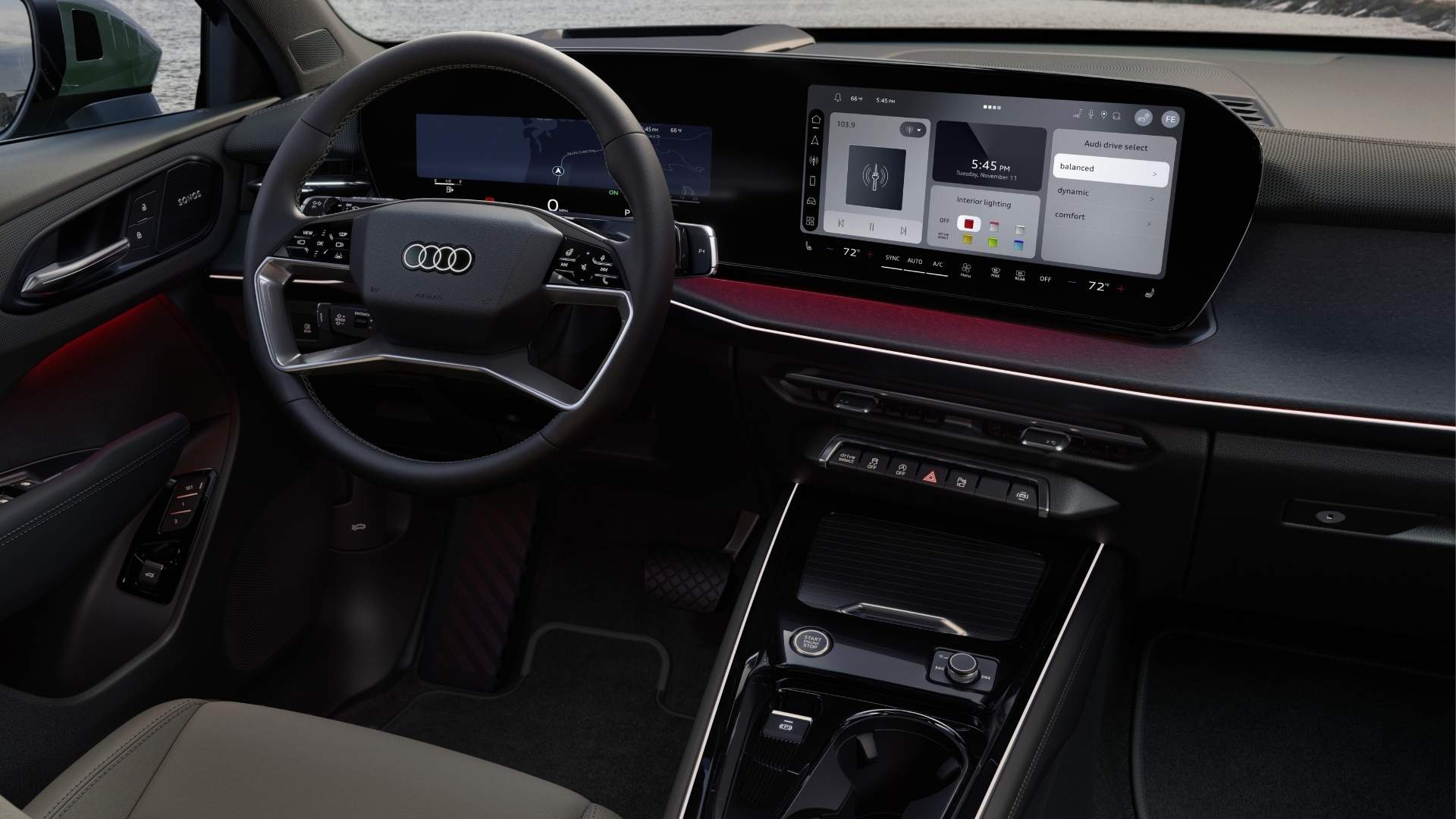
The Audi Virtual Cockpit is a digital instrument cluster. It shows speed, navigation, media, and driver assistance information directly in your line of sight. Like a smartphone, it runs on software, and that software changes over time. Updates can improve system stability, fix minor bugs, and in some cases add new functions. Staying current is one of the simplest ways to keep the display working the way it should, and Audi service can help when an update doesn't fix the problem.
This guide covers what software updates do for the Virtual Cockpit, how Audi's online update process works, what to expect during an install, and when it makes sense to bring your vehicle to Audi Salt Lake City.
What Software Updates Can Do for Your Display
Improved System Stability
Audi notes that not every update brings visible changes. Larger updates may add new functions and noticeable improvements. Smaller updates make important tweaks in the background, such as improving system stability. A Virtual Cockpit that freezes less often, responds more consistently, and stays in sync with the MMI is often the result of these background refinements.
Bug Fixes and Responsiveness
An out-of-date system may glitch or respond more slowly. Updates can fix known issues that affect how quickly the display loads, how smoothly it switches between views, and how reliably navigation or media information appears.
Function Upgrades
On eligible vehicles, Audi says online updates can deliver new functions and improvements without a dealership visit. Which features are available depends on your model and vehicle-specific factors.
What Updates Can Improve
| Area | How Updates Can Help |
|---|---|
| System stability | Background tweaks can reduce freezing and lag |
| Known glitches | Bug fixes address issues identified by Audi |
| Display sync | Better communication between the MMI and Virtual Cockpit |
| Features | Eligible vehicles may receive new functions |
How Audi Online Software Updates Work
Many newer Audi vehicles can receive over-the-air (OTA) updates, delivered wirelessly, much like a smartphone update. Audi describes the process in three steps.
Step 1: Download
The latest software downloads automatically in the background while you drive. Audi says there is no cost for the download. The update doesn't use your smartphone data or in-vehicle hotspot data.
Step 2: Install
When the update is ready, a notification appears on the MMI and in the myAudi app. A myAudi account is required for app notifications. You can start the install right away or choose a time that works better for you.
Step 3: Confirm
After the installation finishes, the system tells you that you are running the new software. Release notes for each update are available in the myAudi app under "Vehicle tab > All functions > Software update." Release notes are also available through the MMI and on Audi's website.
Is Your Vehicle Eligible?
Eligibility depends on vehicle-specific and country-specific factors. To check, open the myAudi app and look for the "Software update" function under "All functions" in the vehicle tab. You can also check on the MMI under "Settings > Software update." Audi notes that online update capability is activated at the factory and can't be added later.
What to Expect During an Update
Installing an update takes some planning. Audi lists several important points:
- Once an update starts, it can't be stopped or canceled.
- Some functions are limited during the install. For example, music can't play during an MMI update.
- Electrified models can't charge while an update is in progress.
- How long the install takes depends on the size of the update, and the MMI shows the expected time.
- Audi connected services and emergency response systems are inactive during the install.
Because of this, Audi recommends parking in a safe spot that has a signal. Avoid places you may need to leave quickly, such as parking garages, loading zones, or entrance and exit areas. For Salt Lake City drivers, a good time might be overnight in your driveway or on a weekend afternoon at home, rather than before a morning commute or a drive up a Wasatch canyon.
Planning Your Update
| Consideration | What to Know |
|---|---|
| Timing | Choose a time when you won't need the vehicle |
| Location | Park somewhere safe with a signal, away from loading zones and garages |
| Interruptions | An update can't be canceled once it starts |
| Connected services | Emergency response and connected services are inactive during the install |
| Charging | Electrified models can't charge during an update |
Good Habits That Support Virtual Cockpit Performance
Software updates work best alongside a few simple habits. Audi Salt Lake City's troubleshooting guide recommends these steps:
- Give the system time to start up. Pressing buttons right after starting the vehicle can cause temporary delays. Let the display finish loading first.
- Restart when needed. Turn the vehicle off, open the driver's door, and wait a few minutes before restarting. This lets the system fully shut down and reset.
- Reset the MMI. Pressing and holding the MMI control knob or power button until the screen restarts can clear temporary software bugs.
- Check brightness and display mode. A dim setting or the wrong layout can make the screen look like it isn't working.
- Keep connected devices current. If the display pulls navigation or media from your phone, a weak connection can cause missing or delayed information.
Battery health matters too. A weak battery can cause inconsistent display behavior, and stable voltage is essential for digital systems. Utah winters can be hard on batteries, especially for drivers who park outdoors in cold weather or make short trips around the valley.
At-Home Steps vs. Audi Service
| Situation | Suggested Next Step |
|---|---|
| Occasional lag or a one-time freeze | Restart the vehicle or reset the MMI |
| Screen looks dark | Check brightness and display mode |
| Update notification on the MMI | Install at a convenient, safe time |
| Recurring issues after troubleshooting | Schedule Audi service for diagnostics |
| Failed update or error message | Contact the Audi Salt Lake City service team |
Keep Your Audi Virtual Cockpit Running Smoothly
Software updates play a direct role in how well your Audi Virtual Cockpit performs. They can improve stability, fix known glitches, and on eligible vehicles, add new functions without a dealership visit. Knowing how online updates work, planning installs at the right time, and building a few good startup habits all help keep the display clear and responsive on daily commutes along I-15 and on weekend drives through the mountains.
When an issue keeps coming back, or an update doesn't go as planned, Audi service at Audi Salt Lake City can help find the cause and get your display working properly again. For more at-home tips, read our guide on how to troubleshoot the Audi Virtual Cockpit display. When you're ready, you can schedule Audi service at Audi Salt Lake City at a time that works for you.